
获取软件包
https://pan.baidu.com/s/1Pxryg5s91-tJ_LEmaho4Gw?pwd=2345
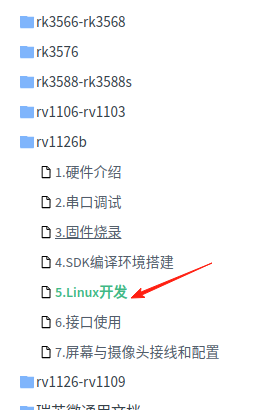
Linux 内核开发教程路径
SDK源码解压与恢复
::: tip
这里注意要 mkdir sdk 目录里解开压缩包
:::
tar xvzf rv1126b-linux-xxx.tgz为什么呢?
因为他解开后是git,你看不到,在.git目录下。所以,你到sdk目录下解开压缩包从git中恢复完整源码
git reset --hard 安装必要的 库
ubuntu 开发环境
sudo apt-get install git bc bison build-essential curl flex g++-multilib \gcc-multilib gnupg gperf imagemagick lib32ncurses5-dev lib32readline-dev \lib32z1-dev liblz4-tool libncurses5-dev libsdl1.2-dev libssl-dev libxml2 \libxml2-utils lzop pngcrush rsync schedtool squashfs-tools xsltproc yasm zip \zlib1g-dev python device-tree-compiler expect g++ patchelf gawk texinfo \chrpath diffstat binfmt-support qemu-user-static live-build fakeroot cmake \ssh make gcc g++ unzip ncurses-dev python3-pip libncurses5 libc6:i386 genext2fs \u-boot-tools mtools parted libudev-dev libusb-1.0-0-dev \autoconf autotools-dev libsigsegv2 m4 intltool libdrm-dev sed binutils \wget libglib2.0-dev libgtk2.0-dev libglade2-dev cvs mercurial \openssh-client subversion asciidoc w3m dblatex graphviz \device-tree-compiler flex bison openssl libssl-dev unzip git-lfs \ccache libelf-dev default-jdk mtd-utils scons选择开发板
./build.sh initLog colors: message notice warning error fatalLog saved at /home/SDK_DIR/test/1126b/output/sessions/2025-06-18_08-41-03Switching to chip: rv1126bPick a defconfig:1. pro-rv1126b_defconfig2. pro-rv1126bp_defconfig3. rp-rv1126b_defconfig4. rp-rv1126bp_defconfigWhich would you like? [1]: 2# 此处根据需求输入对应数字pro-rv1126bp
配置内核
./build.sh kconfig进入配置菜单选择你要的内容
编译内核
./build.sh kernel 复制结果
kernel-6.1/arch/arm64/boot/dts/rockchip/pro-rv1126b.dtbkernel-6.1/boot.img其中dtb文件路径 编译的提示里有。
把两个文件复制到 U盘里
注意 要用fat格式的U盘
启动Uboot 按Ctrl +C
在命令使用u盘
usb start等到找到u盘fatload usb 0 0x81000000 boot.imgfatload usb 0 0x48300000 pro-rv1126b.dtbboot_fit 0x81000000这样就可以启动内核了。